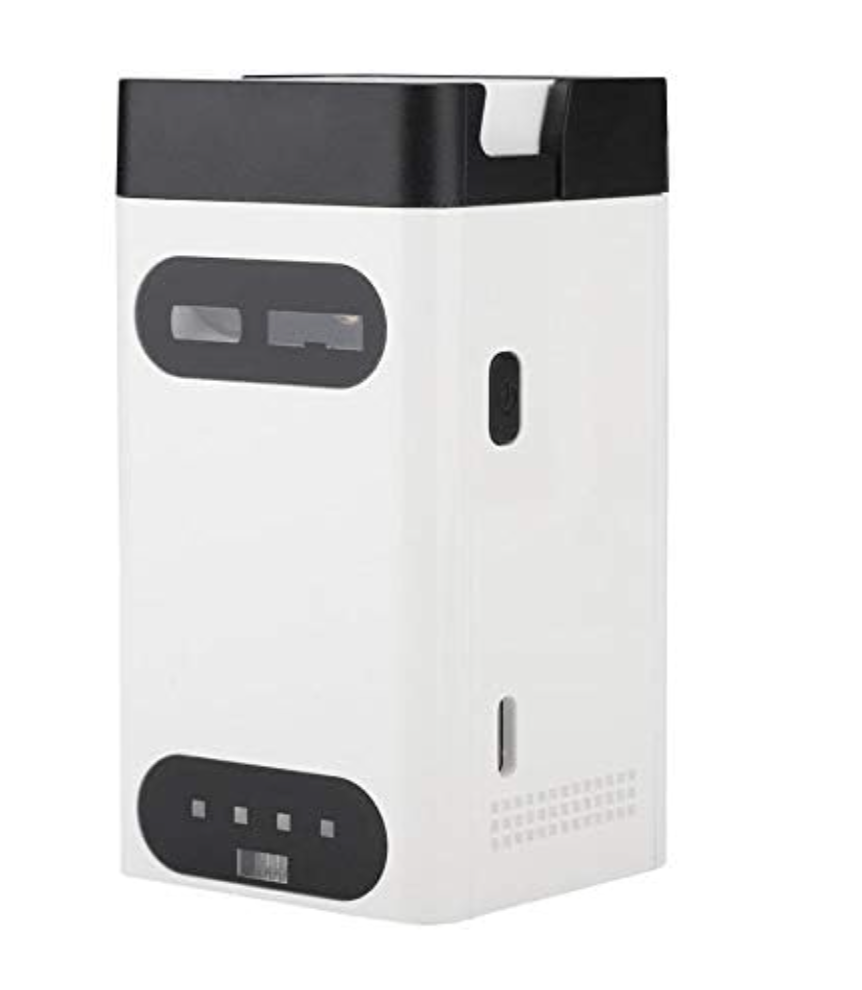


Virtual Keyboard Portable Virtual Bluetooth Laser Projection Keyboard with Mouse Power Bank Function for PC Android IOS Smart Phone 11 Pro
Virtual Keyboard Portable Virtual Bluetooth Laser Projection Keyboard with Mouse Power Bank Function for PC Android IOS Smart Phone 11 Pro
Couldn't load pickup availability
Turn you phone into a practical work laptop
No more limitations and discomfort with your device's keyboard! Practicality first.
Introducing the M1 Virtual Keyboard Projector, the innovative solution to boost your productivity and typing comfort! With advanced laser projection technology, the virtual keyboard is used by thousands of people around the world. Don't fall behind, experience the thrill of typing on a flat, comfortable surface.

Product Features:
• English QWERTY keyboard layout.
• Full size key pitch and shortcut keys for ease of operation.
• Mouse function.
• USB connection.
• Bluetooth connection 3.0.
• Built-in Lithium-ion rechargeable battery for mobility and convenience
• Compatible with latest operating systems: Windows 7 & later, Windows Phone 7 & later,iOS8& later, Android 4.0 & later, OS X & later.


Mouse Mode:
To change keyboard mode to mouse mode on the keyboard, press the key. The projection keyboard brightness will change to low level.
To Change mouse mode to keyboard mode, on the keyboard, press the key. The projection keyboard resume to standard brightness.
+Mouse/cursor function is available on devices that support such feature (Most Windows,Android and OS).
Note: iOS devices do not support mouse function.

Connecting via USB:
•Laser Projection Keyboard is compatible with all USB HID capable operating systems. USB HID connection allows plug-on-play without installing a separate drive.
1.Connect Laser Projection Keyboard and host device using supplied USB Type-C cable.Host device must support USB HID.
2. Power on Laser Projection Keyboard.
Connecting via Bluetooth:
•Laser Projection Keyboard supports Bluetooth HID:
• Connection via Bluetooth HID does not require installation of separate driver as long as the host device has HID compatibility.
• Bluetooth 3.0 or higher required for connecting to some devices.
Bluetooth Connection Instruction:
1.Power on Laser Projection Keyboard
2. Bluetooth Status LED will be blinking indicating the Laser Projection Keyboard is searching for anew device or previously paired devices within its proximity .
Laser Projection Keyboard will automatically attempt to re-connect to the recently connected devices
This feature is added for convenience, assuming there is a single host device.
If the Laser Projection Keyboard has re-connect the recently connected devices but it need pair for anew device, Turn the connected device Bluetooth off, the Bluetooth Status LED will be blinking again.
3.On primary device,go to Bluetooth setting;search for Bluetooth devices.
4.When the device discovers" Laser Projection keyboard",tap to connect.
5.Upon successful pairing, the LED will stop blinking and turn off
Power Saving Mode Guide:
The brightness will change to low level if there is no operation on the keyboard within 30 seconds.
Press any key to resume to standard brightness.
Factory default brightness is the highest level during power on.
The product will be automatically standby if there is no operation on the keyboard within 5 minute.
Press Power Switch to restart the product.
Making Adjustments:
>Sound Feedback Adjustment
·There are total of 5 levels;sound level remains as adjusted when device is turned offand on.
·To increase sound level:Tap and hold "FN" key and tap "RIGHT" arrow key.
·To decrease sound level:Tap and hold "FN" key and tap "LEFT" arrow key.
>Projection Brightness Adjustment
·There are total of 4 brightness levels.
·To increase brightness:Tap and hold "FN" key and tap "UP"arrow key.
·To decrease brightness:Tap and hold "FN" key and tap "DOWN"arrow key.
OUR AFTER SALES GUARANTEE
Don't like something you bought? Tell us within 5 days of receiving it, and we'll be happy to issue a refund. For more information see our Refund Policy page. Or, click here to make a return request.
Secure credit card and debit card checkout with RAZORPAY with no extra shipping charges.
5 days easy full money-back guarantee.
Tracking number for every order sent directly to your phone number and email address.